HTV vs Sublimation: Which Heat Press Method Fits You? (October 2026)
Choose HTV for cotton, dark fabrics and cut designs; choose sublimation for light polyester and detailed prints that become part of the fabric. HTV vs sublimation comes down to the blank, the design and the finish you want.
On this page (9 sections)
- HTV vs sublimation: which method fits your project?
- Which fabrics work with HTV and sublimation?
- Which method handles detailed and layered designs?
- What equipment and supplies does each method need?
- How should you set up and press each transfer?
- What mistakes should you avoid?
- How do care and repeat projects differ?
- How do cost and repeat work differ?
- Which method should you choose?
Choose HTV for cotton, dark fabrics and cut designs; choose sublimation for light polyester and detailed prints that become part of the fabric. HTV vs sublimation depends on what you're decorating, how the art is made and whether you want a surface layer or an integrated print.
HTV, or heat transfer vinyl, is colored film cut into shapes and pressed onto a surface. Sublimation uses printed dye that transfers into compatible polyester fibers or a specially coated blank.
The two methods need different supplies and solve different problems. Start by checking the garment or blank, then consider color detail, finish, equipment and how many pieces you expect to make.

HTV vs sublimation: which method fits your project?
HTV suits a wider range of fabrics and cut shapes; sublimation suits light polyester and coated blanks. The blank and the transfer instructions should decide which process you use.
HTV sits on the surface and adheres with heat and pressure. Depending on the vinyl, it can suit cotton, some blends, stretch fabrics or specialty surfaces.
Sublimation dye bonds with compatible polyester fibers or a coating designed for sublimation. The blank's color matters because the process doesn't add an opaque white layer beneath the image.
If you're new to pressing, begin with a small design and a spare piece of the same material. Our heat press guide explains common press types and what to compare before you choose equipment.
What does HTV vs sublimation look and feel like?
HTV creates a distinct layer on the fabric, so you can feel the design at its edges. A small chest logo may be subtle, while a large solid graphic can cover more of the garment and feel more noticeable.
Sublimation doesn't leave a separate film layer on compatible fabric. The dye becomes part of the fibers, so the printed area keeps the fabric's texture.
Artwork affects the result as much as the method. A large block of HTV can cover more fabric, while sublimation can carry fine details and color changes across a compatible print area.
Which fabrics work with HTV and sublimation?
Use HTV for an approved cotton or dark garment; use sublimation on light polyester or a compatible coated blank. Check the garment and transfer instructions before applying heat.
HTV isn't one universal material. Some vinyl is made for cotton, some for stretch fabric and some for specialty surfaces, so match the type to the garment and follow its temperature and time directions.
Sublimation is a strong fit for white or light polyester shirts because its dye relies on compatible fibers. On untreated cotton, untreated fabric blends or dark garments, the result may be faint or hard to see.
Heat can also affect a polyester garment, so settings matter. Read our guide to heat pressing polyester without scorching it before you choose a temperature.
Can HTV go on polyester?
HTV can work on many polyester garments, but the right vinyl and settings depend on the fabric and transfer. Heat-sensitive performance fabric may need low-temperature vinyl or another method approved for that garment.
Check the care label and consider any coating or special finish. If you can't confirm compatibility, choose a different blank instead of risking a transfer that could damage it.
Can sublimation go on cotton or dark fabric?
Standard sublimation doesn't bond well to untreated cotton, and it doesn't print an opaque white layer over dark fabric. Cotton or dark garments need a different transfer system or a compatible coated surface made for sublimation.
For the familiar soft, integrated sublimation finish, choose a light polyester blank. Don't assume a vivid result on every shirt just because the artwork looks bright on screen.
Which method handles detailed and layered designs?
Sublimation suits full-color images and fine detail; HTV suits solid colors, names and artwork made from cut layers. Your design and patience for weeding and alignment help settle the choice.
With sublimation, you print the design onto transfer paper before heat moves the dye into a compatible surface. That can preserve gradients, photos and small color changes without cutting each color separately.
HTV starts with colored film cut into shapes. You remove extra vinyl, arrange the pieces and press them according to the material directions.
Layered HTV can build multicolor artwork, but each added color creates more placement and pressing work. Check that the vinyl is designed for layering, since some finishes are intended to be applied as a single layer.
What is easier for a first project?
A short name or one-color shape is a manageable first HTV project, especially if you already have a cutter. A colorful image may be simpler with sublimation if you already have a sublimation printer, paper and a compatible blank.
Neither process removes the need for careful setup. Keep the first design small, use material you know is compatible, and use the settings provided for that transfer.
What equipment and supplies does each method need?
HTV needs vinyl and a way to cut and weed it; sublimation needs sublimation ink, paper and a compatible blank. Both need a heat source that meets the transfer instructions for temperature, pressure and time.
For HTV, the basic steps are to cut the design, weed away extra vinyl, position it and press. A craft cutter helps with precise shapes, though ready-to-apply transfers can save you the cutting step.
For sublimation, print with sublimation ink onto transfer paper, position the sheet on a compatible blank, then press. Standard inkjet ink and paper aren't substitutes for sublimation supplies.
Your press needs enough room for the design and controls suited to the materials. The [HTVRONT 12x10 Pressure Display Press]({{amazon B0FMJTTJDY}}) has a 12 x 10 in plate and displays pressure, time and temperature.
For broad flat graphics, the [RoyalPress 15x15 LED Digital Press]({{amazon B081RNTHTK}}) has a 15 x 15 in plate and a controller for temperature, time and piece count.
Follow the instructions for your vinyl, sublimation paper and blank. Our HTV heat press temperature guide explains why settings vary by vinyl type, and the sublimation temperature and time guide covers the other method.
How should you set up and press each transfer?
Prepare the blank, align the design and follow the transfer's stated settings before pressing. A clean, flat work area and a stable press help you avoid common placement and contact problems.
For HTV, cut the design in the correct orientation if your cutter workflow requires it, then weed the excess material. Position the transfer carefully, check that seams or pockets won't sit under the pressing area, and use the recommended cover or carrier method.
For sublimation, make sure the print is on the right paper and the blank is compatible. Position the printed side correctly, secure it as the paper or blank directions recommend, and avoid shifting the sheet during pressing.
Use the time, temperature and pressure guidance for the exact materials in the project. A press display can help you repeat a setting, but it doesn't tell you which setting is right for every vinyl, ink, paper or blank.
Before producing several pieces, make one sample. Check color, adhesion and placement after it cools as directed, then adjust only according to the material instructions.
What mistakes should you avoid?
Most transfer problems start with a mismatch between material, settings or design placement. Verify compatibility and rehearse the layout before committing a finished garment.
- Using sublimation on the wrong fabric: standard sublimation needs compatible polyester or a coated blank. Untreated cotton and dark shirts won't give the usual bright, integrated result.
- Choosing vinyl without checking the garment: stretch and heat-sensitive fabrics can need a specific HTV type. Match the vinyl instructions to the garment.
- Guessing at temperature or time: different materials call for different settings. Use directions for the specific transfer and blank instead of carrying over a setting from another project.
- Applying uneven pressure: if parts of a design don't contact the press evenly, adhesion or color can vary. Keep the work area flat and arrange seams or raised areas away from the design where possible.
- Making the first design too large or complex: large HTV layers are harder to align, while a full-color sublimation print still needs careful placement. Start with a small sample you can inspect.
- Assuming every cover sheet works with every transfer: a cover can protect a work surface, but the transfer directions decide whether to use one and how to place it.
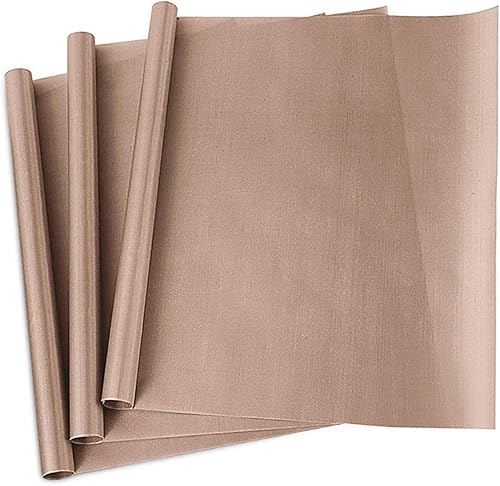
A reusable PTFE sheet can serve as a nonstick cover or protect a work area when the instructions call for it. The [YRYM PTFE sheets]({{amazon B07H55M1ZR}}) are washable and can be trimmed to fit your project.
How do care and repeat projects differ?
Care depends on the vinyl, garment or sublimated blank, so follow the instructions for those materials. Don't assume one wash or heat rule applies to every transfer.
For HTV, let the transfer cool or peel it as its instructions direct. Follow the garment and vinyl care guidance, especially for washing and drying, and avoid assuming that every vinyl type tolerates the same handling.
For sublimation, the print is part of compatible fibers or the blank's coating rather than a separate film layer. Care still depends on the garment or coated item, so use the blank maker's directions.
For repeat work, record the materials and settings that produced a good sample. Keep the same blank, transfer and press setup together when you want more consistent results across a batch.
How do cost and repeat work differ?
HTV fits cut designs in selected colors; sublimation fits repeated full-color prints on compatible blanks. The tools you already own and the materials you'll buy regularly matter more than the method name.
HTV uses vinyl for each color and a way to cut the design. Detailed work can take time to weed and layer, while a simple one-color name has fewer steps.
Sublimation uses a compatible printer, ink and paper. It can prepare full-color artwork without cutting separate shapes, but each blank must have the right fibers or coating.
Consider your regular projects rather than a one-off idea. Names and numbers on cotton shirts point toward HTV; bright photo prints on polyester point toward sublimation.
Which method should you choose?
Choose HTV for cotton, dark garments and cut shapes; choose sublimation for light polyester, coated blanks and detailed color. That decision rule covers most HTV vs sublimation projects.
Choose HTV if you need a design on an approved cotton garment, want a raised or layered finish, or mostly make names and simple graphics. Skip it for a project where you want a large design to feel like dye in the fabric.
Choose sublimation if you want fine color detail and a soft-feeling print on a compatible light polyester blank. Skip standard sublimation for untreated cotton or dark shirts unless you're using a transfer system made for those materials.
If sublimation shirts are your main project, our guide to choosing a heat press for sublimation shirts can help you match a press to the print area. For the basic pressing sequence, follow how to heat press a shirt.
Pick HTV when fabric range and cut designs matter most. Pick sublimation when the blank supports it and you want detailed color that becomes part of the surface.
Frequently asked questions
Is HTV or sublimation better for cotton?
HTV is the practical choice for cotton because it bonds to the fabric surface. Standard sublimation works best on polyester or specially coated blanks, so a cotton shirt usually needs a compatible sublimation surface or a different transfer method.
Check the vinyl and garment instructions before pressing.
Can you use sublimation on dark shirts?
Standard sublimation is best on light-colored polyester because its inks don't print an opaque white layer. On dark fabric, the garment color can overwhelm the image, so choose HTV or a transfer product made for dark materials.
A light, compatible blank gives the most predictable color.
Does HTV feel different from sublimation?
HTV usually leaves a thin layer on top of the fabric, while sublimation dye becomes part of compatible fibers. The feel depends on vinyl type, design coverage, garment and settings.
A small HTV logo can feel less noticeable than a large solid shape.
Can one heat press handle both methods?
A heat press can handle both methods when its temperature range, pressure and work area fit the materials and transfer instructions. Sublimation commonly needs higher heat than some HTV, so check the press range and follow the directions for the specific paper, ink, vinyl and blank.
Do you need a special press for sublimation?
You need a press that can reach the temperature and provide even contact required by your sublimation materials. A flat press with a suitable work area is a common choice for shirts, but the correct settings depend on the blank, paper and ink.
Follow each material's instructions.



